



Real Desktop

Real Desktop
License:
Trial version
Language:
English
Developer:
OS:
WinXP/Vista
Updated:
See detailed info

Softonic review

Elena Santos

“Add the third dimension to the Windows desktop”

by Elena Santos about Real Desktop

Real Desktop is one of those PC applications that aren't really that useful, but have such an attractive effect on your system that you want to install them anyway.

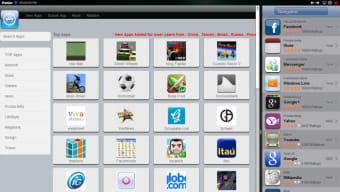
Real Desktop turns your Windows desktop into a three-dimensional environment where all your shortcuts look like small pieces that have been dropped on the floor – and they actually behave like that. You can move them, rotate them, lift them a bit from the floor and mix them all around the desktop surface. The only icon that remains in Real Desktop somewhat apart is the Recycle bin, probably to help you find it faster.

This precisely the main drawback in Real Desktop: finding icons. The 3D effect is really amazing, as well as the icon behavior almost as Lego pieces. But having them scattered all over the places doesn't exactly make your PC easier to use – especially if you're anything like me, who likes to have as few icons as possible, and always perfectly organized.

With Real Desktop you can apply an amazing 3D effect to your Windows desktop, although you'll lose a lot of icon usability on the way.

Pros
  • Very attractive effect
  • Light on resources
Cons
  • Not very comfortable to use on a daily basis
  • Nagging prompts to purchase the full version
Download Real Desktop Standard 1.69

Real Desktop is virus free

We have analyzed the latest version of Real Desktop with 30 antivirus engines and it is virus free. See analysis results.

TESTED VIRUS FREE - Softonic GUARANTEED

Developer's description

Let enchant you of this fascinating adventure and enter into a living three-dimensional world. Your icons behave now, thanks
to the powerful physics-engine, like real objects that you can touch and move as on a real desk.

Look what this program features for you:

  • 3D Sound
  • Activatable Antialiasing
  • No performance losses with resting condition of the symbols
  • Very less resources needed
  • Very efficient, thanks to the "Reality Engine"

Real Desktop (3) User reviews

  • Good
  • 7/10
  • owester1 owester1
    User reviews
    1
    • Good
    • 7/10
    started ok but now

    had a few crashes back to 2d desktop, then on fourth crash none of the icons work, unstable software but really like it when it does work.... More

    • Review of Real Desktop - 30 Jan 2010
      This review is liked by 0 of 0
  • iant68 iant68
    User reviews
    2
    • Good
    • 2/10
    Don't like it!

    Installed it, tried it and immediately uninstalled it. Seems unstable somehow. Makes my Desktop Sidebar shake when in hidden mode... More

    • Review of Real Desktop - 13 Mar 2009
      This review is liked by 0 of 3
  • sebina.pulvirenti sebina.pulvir
    enti
    User reviews
    1

    Good program, original and light on use of resources. But it's a shareware, actually.... More

    • Review of Real Desktop - 22 May 2008
      This review is liked by 6 of 13
Your avatar
Review
  1. Maximum: 75 characters

  2. See example

Pros and Cons
Rate
  1. What rating would you give Real Desktop?

    You need to fill in all fields

    • Usability:

      Not rated
    • Stability:

      Not rated
    • Installation:

      Not rated
    • Functionality:

      Not rated
    • Appearance:

      Not rated
    • Overall rating:

      Not rated
  2. Don't worry, we won't make your email address public.

You're not allowed to share serial numbers, cracks, etc. or link to pages that contain them. If you do, your user account will be deleted, your IP address logged and legal action will be taken.

Get started - just ask a question!

Write a title for your question.

Alternativesto Real Desktop

Compare with Real Desktop
Download rank: Customized Desktops

12 of 45

Softonic rating:
  • Not bad
  • 6/10
User rating: (5 ratings)
  • Good
  • 7/10
Your rating:
Your rating
  • 0

Review and rate this program

Top Downloads: Customized Desktops

  • United States
  • Global

  1. Windows 7 Start...

    Personalize the big button in Windows 7

  2. Vista Sidebar XP
  3. Vista OS X
  4. ObjectDock
  5. Rainmeter

Older versions of Real Desktop

Reviews of Real Desktop in other languages